
AJA-IV attached climbing scaffold
3D Product Explorer
See the complete system in Overview, then switch to Engineering Detail to examine its components and exploded view.
Interactive 3D view
AJA-IV single bay
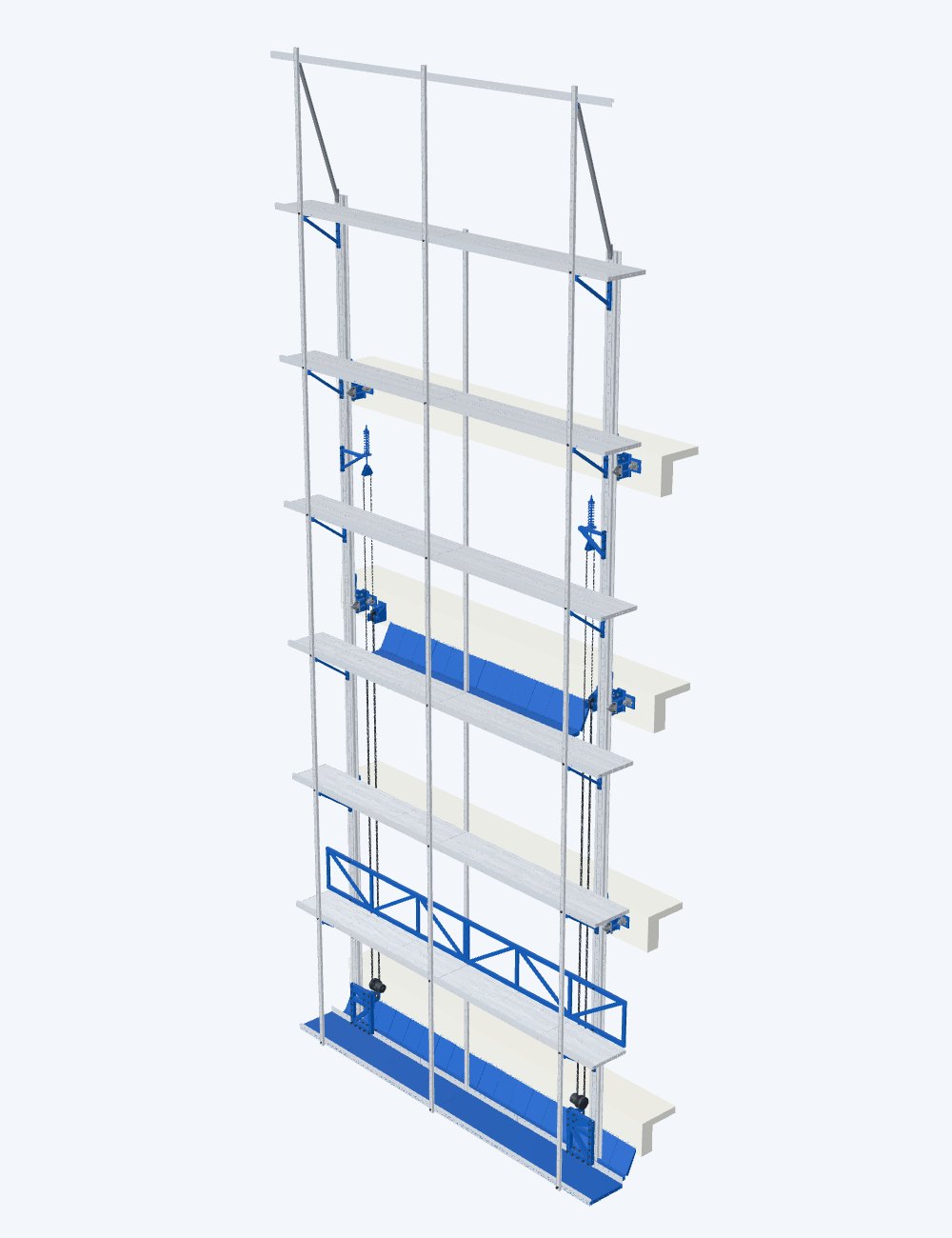
Exploded view — presentation only, not an installation or operating sequence
1.2 MB downloadRotate, zoom, explode and select components
Loading 3D model…
Use two fingers to rotate and zoom
Load the 3D model to rotate the complete assembly and highlight its systems.
Load the 3D model to browse its components.
Explore further
Overview
The assembled system and its building context. Rotate it, zoom in and highlight the frame, attached support or lifting system.
Engineering Detail
Select a component to see its function, show it on its own, and explode the assembly in full or in part.
Open Engineering DetailAnti-fall device
The wall support assembly with its ratchet-and-pawl anti-fall device selected.
Inspect the anti-fall deviceDemonstrations
The manufacturer’s animations of the anti-fall mechanism, explained in English.
Watch the demonstrations
About the models
- CAD-based product visualisation, derived from the manufacturer’s CAD and simplified for the web.
- The exploded view is for presentation only, not an installation or operating sequence.
- Mechanisms are not animated; the manufacturer’s demonstrations show how the anti-fall device works.
Controls
Mouse, touch and keyboard
- Mouse
- Drag to rotate, right-drag to pan, scroll to zoom. In Engineering Detail, click a component to select it and click empty space to clear the selection.
- Touch
- Two fingers rotate and pinch to zoom; a one-finger swipe scrolls the page. Tap a component to select it.
- Keyboard
- Tab to the 3D view, then use Left and Right to rotate, Shift with Up or Down to tilt, plus and minus to zoom, R to reset the view, E to explode or assemble and Escape to clear the selection. The explosion slider takes the arrow keys, Page Up, Page Down, Home and End.
Next step
Request AJA-IV product information
Email TianDe about specifications, components or equipment supply.